Video consultations allow patients to connect with healthcare professionals remotely using secure online video technology. They offer similar quality of care as an in-person appointment - just delivered through a convenient and private digital platform. Whether it’s a routine check-up, follow-up review, or specialist advice, video consultations make it easier for patients to access care from home or anywhere with an internet connection.
Please view the information below to prepare for your video consultation.
|
1. Call |
2. Allow |
3. Success! |
-
Testing your device before your appointment will ensure you can connect to your clinician the first time.
- You may be asked to "allow access" to the camera and microphone on your device. Allow for both. If you accidently don't allow, further details to activate this is on frequently asked questions.
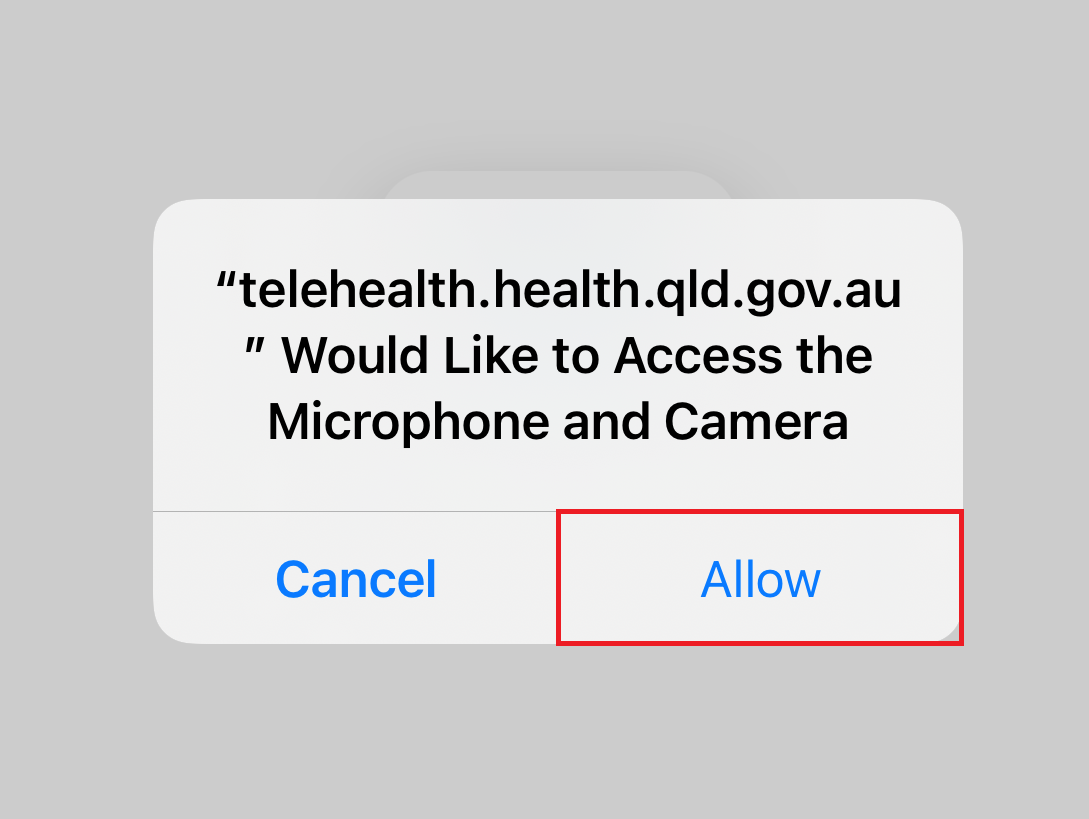
- Great you're all done!
The test link may also be provided via your patient handout or QR code, and it's also available here.
|
Fast internet |
Sufficient data (~600MB) |
|
Camera and microphone |
Quiet and private location |
- Ensure you have sufficient internet data available on your device for the call, around (600 MB).
- Have a quiet, private location for your call and allow up to an hour for your call.
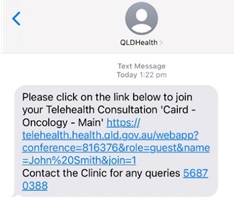
- Open the link sent to your device and allow your microphone and camera when prompted. This will bring you into the virtual wait room. If you accidently select no go to frequently asked questions.
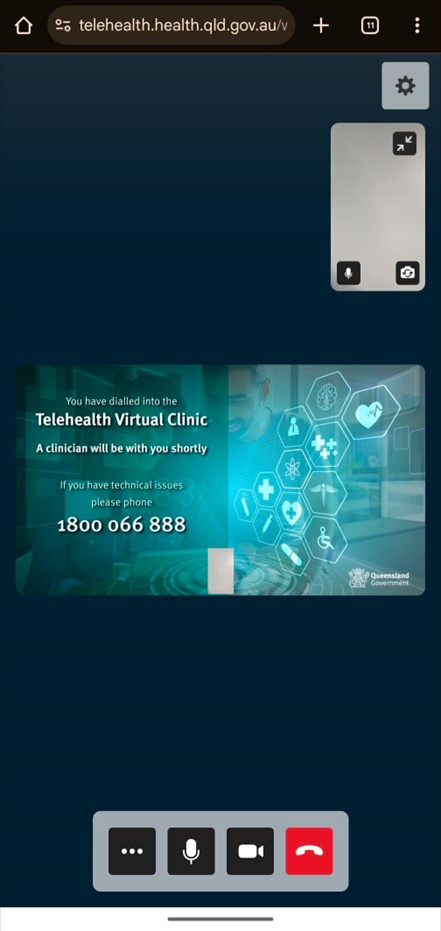
- This is an example of what a waiting room screen looks like. Your virtual waiting room may look different.
- If you have problems connecting troubleshoot your connection.
- If you happen to accidently disconnect, you may reconnect on the same link in your text message.
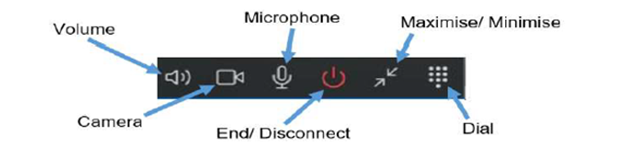
- To end the call, select the end/disconnect icon.
|
1. Scripts will be sent |
2. We'll call you if urgent |
- If you have any scripts for medication, pathology tests and medical imaging forms they will be posted, faxed or organised online by either the medical practitioner, a clinic nurse or administration officer at the hospital.
- For urgent requests, you will be contacted by phone to confirm where to send the script/request.